
Revanta Loyalty — CRM and loyalty programme for a sports club
Trusted by








The product turns scattered fan data into a database you can act on: profiles, purchase and attendance history, segments and communications.
The club grows engagement and revenue through the loyalty programme and personal offers, while marketing gets analytics and retention tools.
Capabilities
How it works
 Revanta
The accrual rate for a tier
Starter, Bronze, Silver, Gold — the club decides how many points a fan on each tier earns. Change the percentage and the rule applies at once, with no developers involved.
- 1Loyalty → Loyalty program setup
- 2The Statuses tab
- 3Edit the Silver tier
- 4Accrual percentage: 7% → 8%
- 5Save — the table is updated
RevantaA condition for moving up a tier
What lifts a fan to the next tier: match attendance, merchandise purchases, tickets and season tickets. The condition is picked from a list and the threshold is a number.
- 1The Transition conditions tab
- 2Add entry
- 3Status: Silver
- 4Condition type: match attendance
- 5Value — ten home matches
- 6Save — the rule is in the list
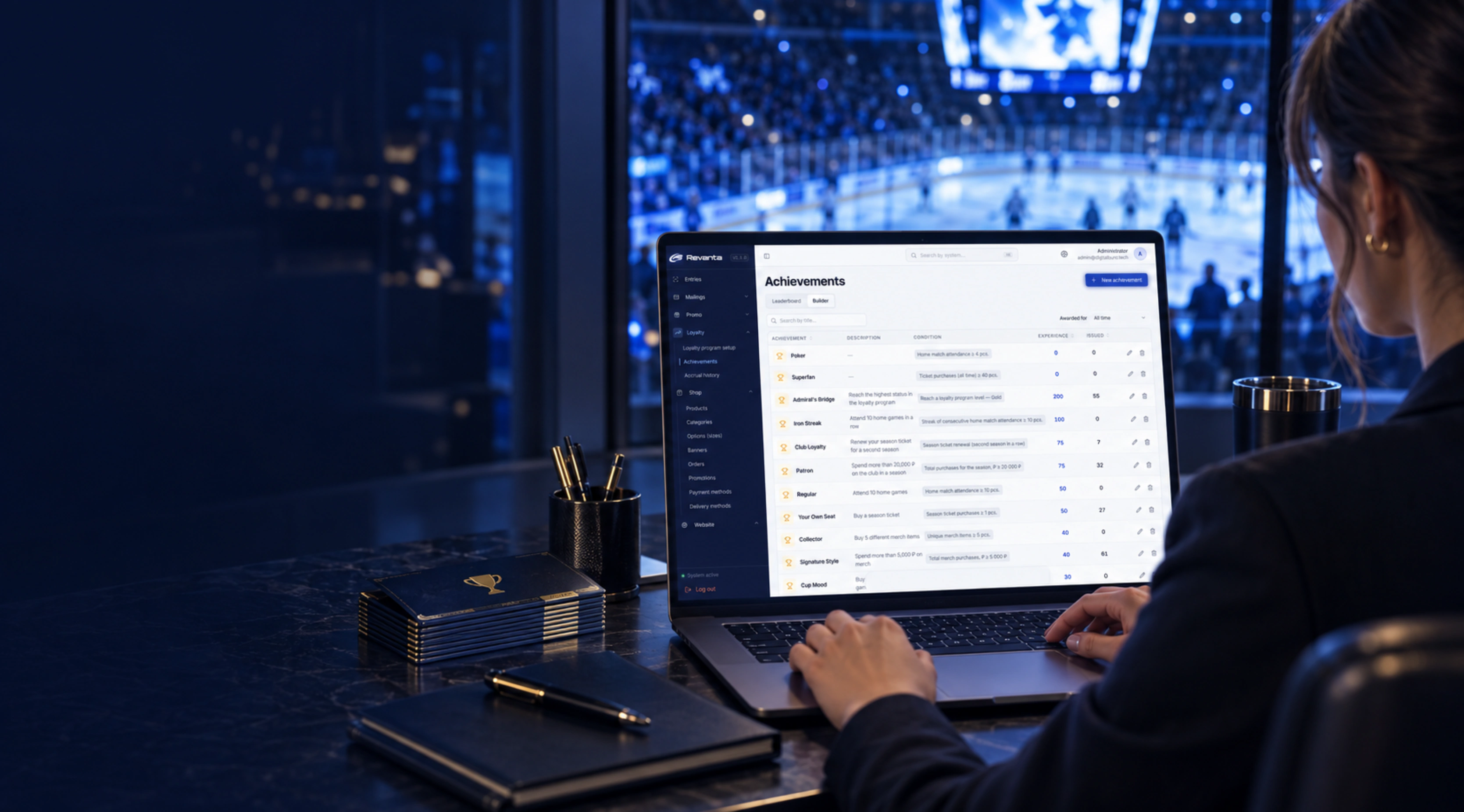
RevantaAn achievement with its own earning condition
Attendance, purchases, registration — the club assembles the condition itself from a ready catalogue, sets the threshold and the reward, and sees the card exactly as the fan will.
- 1Loyalty → Achievements
- 2New achievement
- 3Add an earning condition
- 4Home match attendance, from N
- 5Reward in loyalty points
- 6Save — the card is live
RevantaThe whole fan in one profile
Contacts, points and progress towards the next tier, the accrual history, achievements and orders all sit in one card. No stitching a person together from five different exports.
- 1Users → Customers
- 2Open a customer card
- 3Loyalty program: points and tier progress
- 4Points history
- 5Achievements and orders
RevantaSegment by purchase history
You need the people who buy often and agree to hear from you. Conditions are assembled with the mouse, the result is visible in the list straight away and saved as a segment you can reuse.
- 1Users → Customers
- 2The Audience segments panel
- 3Agrees to receive mailings: yes
- 4Number of orders: more than 4
- 5Apply — and save the segment
RevantaFrom a dashboard chart into the segment
Tiers, age, gender, registration source, customer category. A column on the chart is not just a number — click it and you are in the customer list with that filter already applied.
- 1Dashboard — the breakdown charts
- 2Click a column on the chart
- 3The customer list opens
- 4Segment applied from the dashboard
- 5Work with it or reset it
RevantaA saved segment into Excel
A ready list for a report, a partner or a call round. The export goes into a queue and appears in the Export section — no assembling tables by hand.
- 1Users → Filtering
- 2Saved segments
- 3Apply the segment
- 4Export — the job is queued
- 5The Export section — download the file



Send us a note and we will get back to you
Leave your name and email — we will reach out to discuss the task.