
Trusted by









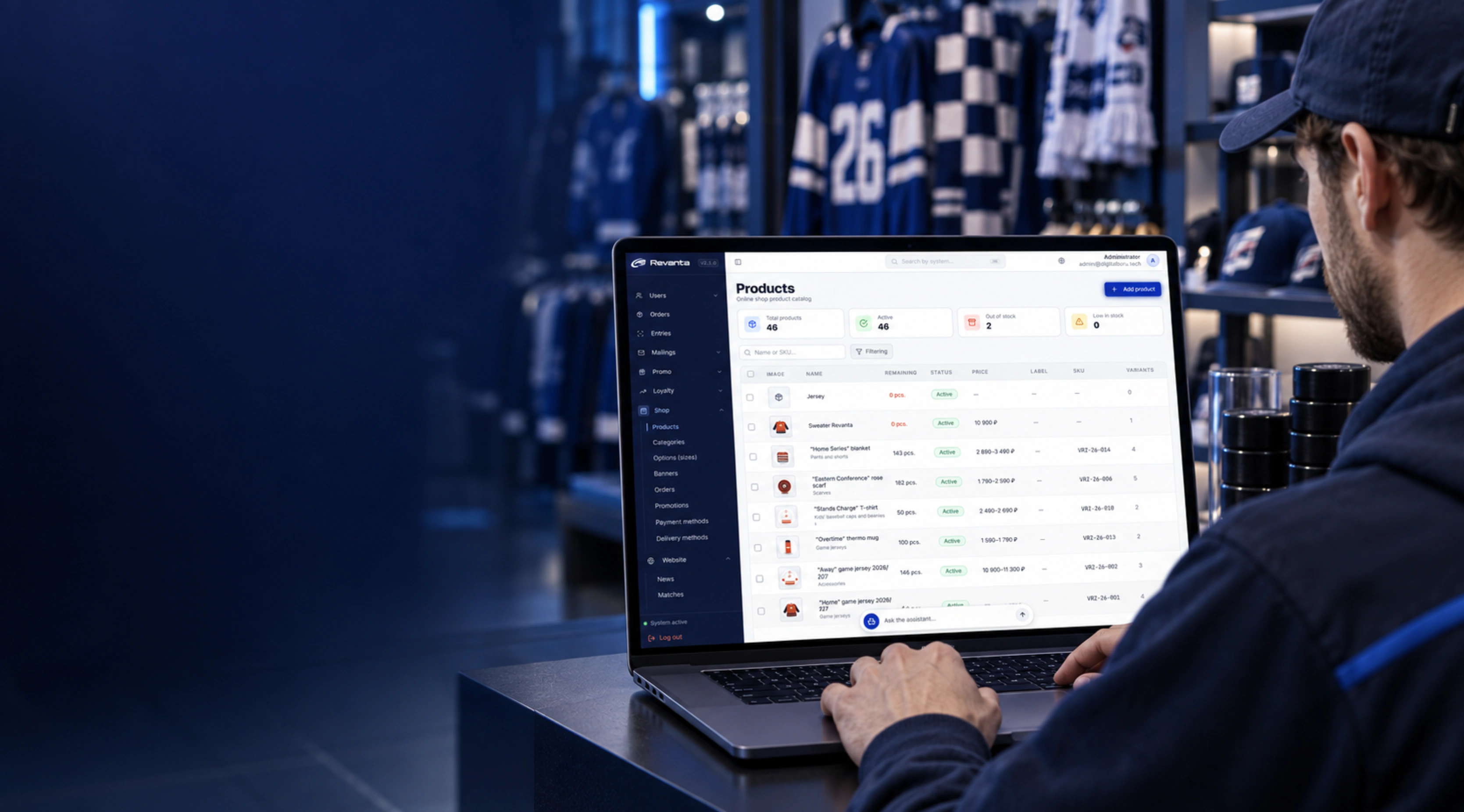
Merchandise is direct club revenue and the most visible carrier of the brand. The product covers the whole store: a product card with SKU, price and old price, "New", "Bestseller" and "Sale" labels, images and stock, size and colour variants generated from a matrix instead of each position being entered by hand.
The operational side is inside too: orders and their statuses, payment methods, delivery through CDEK integration and click-and-collect at the club store with address and contacts, promotions with a discount type and start and end dates, store banners.
The main difference from an off-the-shelf engine is a shared database with the rest of the ecosystem. Customer, season ticket holder and newsletter subscriber are one record, not three systems: the club sees that a person attends matches and buys jerseys, and brings them back with a promotion built around a specific match.
What changes for each role
A position is created once, not once per size
- Size and colour variants are generated from a matrix.
- SKU, stock and VAT are fields on the card, not a separate spreadsheet.
- A product is hidden from sale with a toggle, without deleting it.
- Images and sort order are set in the same place.
Capabilities
How it works
 Revanta
A new product with a size matrix
A position is created once: the basics, SKU and VAT rate from 1C, publication and category. Sizes and colours are not entered one by one — variants are generated from a matrix.
- 1Store → Products → New product
- 2Name, SKU, description, VAT rate
- 3Category, Bestseller or Sale label, images
- 4Product variants: generated from a matrix
- 5Price, old price and stock per variant
RevantaFrom an order to a CDEK shipment
A summary by status and revenue for the chosen period on top, and below a table of orders with the customer, delivery method, total and date. Filters and search by number or customer instead of scrolling.
- 1Store → Orders
- 2Summary by status and revenue for the period
- 3Filter by status, delivery and dates
- 4Open an order — contents, customer, payment
- 5Change status straight from the list
RevantaA nested category tree
Categories are assembled as a tree: each with its own image, address, parent and VAT rate. Toggles decide whether a section shows in the header and the footer — the storefront is rebuilt without developers.
- 1Store → Categories
- 2Add a category or edit an existing one
- 3Image, name, address, parent category
- 4VAT rate and active flag
- 5Shown in the header and footer — as toggles
How a rollout works
Work in the system starts with the current season — there is no need to pause training.
- 01Catalogue and stock
Categories, products, size matrices and SKUs.
1–2 weeks - 02Payment and delivery
Connecting payments, CDEK and the club collection points.
1 week - 03Training the team
The merch manager and marketing work in their own sections.
3 days - 04Ongoing support
Support, refinements, seasonal collections and integrations.
ongoing





Send us a note and we will get back to you
Leave your name and email — we will reach out to discuss the task.